
Minecraft has been my childhood-favorite game (up until recently when Microsoft+Mojang has been ruining it with their corporate shenanigans), and it's where I first learned, through a LOT OF PATIENCE, how to program. For those that don't know, Minecraft is a voxel-based sandbox game that took the world by storm.
Due to it's flexibility and open-world sandbox nature, so many niche communities have spawned to build massive structures, perform intense manhunts, play survival minecraft with each other in SMPs (Survival Multi-Player), create minigames, and even mod the game. One such community is the Origins mod community, a community based around a superpower mod.
Even though it was not the first experience I had with computer work (I partitioned my family computer's hard drive when I was 9ish, and got in quite a bit of trouble for it), Minecraft was the place I developed the patience so critical to learning and programming. I remember when I first got into the game I would play the demo and not know I could even split stacks of items with right click, leading to me painstakingly and very carefully making sure all the items I had were crafted in just the right way as to not allow them to combine in my inventory. From punching 8 logs to make one chest (which revolutionized the process) to mining one piece of stone at a time and putting them in the chest to make a furnace.
Eventually I did learn how to right click after my grandma bought me Minecraft, and I would play the game when my friend came over in a special world we called "The Hub". We didn't have the most creative taste in building design, and as the 10 year olds we were we built "The Hub" as a rectangular prism of valuable materials like Gold and Diamond blocks. The hub was meant to be the creme de la crop of creative worlds, filled with all the powerful items our hearts could ever desire. My introduction to programming came in creating command blocks that would generate these super-powered items with the most archaic one-line syntax ever:
/give mathgeniuszach minecraft:diamond_sword 1 0 {Unbreakable:1,display:{Name:"The Ultimate Weapon"},ench:[{id:16,lvl:32767}]}This would give me an unbreakable diamond sword named "The Ultimate Weapon" that dealt an insane amount of damage (with the sharpness enchantment). This was also back around Minecraft 1.7 so there wasn't even syntax highlighting and you kinda just kinda had to follow the wiki and hope you entered in all the brackets and braces properly. I didn't have mcstacker back then either, so learning how to do what I wanted required a lot of reading, experimenting, learning, and trial-and-error. The results were always satisfying, though.
Later on I got more into Minecraft's commands (a programming language now called "mcfunction") and made some datapacks. Sure, mcfunction is turing complete, but just to multiply two numbers together you gotta write some archaic stuff, for example:
Here's some Python code:
x = 5
y = 9
print(x * y)
And here's the basically equivalent mcfunction code:
scoreboard objectives add x dummy
scoreboard objectives add y dummy

scoreboard players set @s x 5
scoreboard players set @s y 9
scoreboard players operation @s x *= @s y
tellraw @a {"score":{"name":"@s","objective":"x"}}
C++ ain't got nothing on mcfunction. Anyway, programming is always like this, makes you want to rip your hair out after being unable to solve a problem for days on end. It's all about having the patience to maintain your sanity or at least continue to be able to act normal even if your sanity is long gone. More seriously, it's about being able to keep yourself composed and to keep at researching, scouring through documentation, and problem solving until you find the solution for your problem, no matter how long it takes.
The oldest published Minecraft project I've made - and that I can remember making - is Trigger the Music, a datapack + resourcepack which replaces the boring default Minecraft music with situational music which is dependent on the biome, time, location, and whether or not the user is in combat. The music pack used in this project is a slightly modified variant of this music pack. Minecraft doesn't provide an easy way to detect when music is complete or to slowly transition between songs, so I had to edit all the songs so they were roughly the same length. I used it for a bit in some of my later survival worlds, but I definitely wanted a mod that could provide the ability to transition between tracks instead of having to do it in vanilla.
The next oldest published project of mine (after putting together a random 1.14.4 modpack) is UnifyTags, a script which automatically unifies common items (and crafting recipes) created by multiple mods under the same name (e.g., two tech mods could have two separate tin ingots and blocks). Like Trigger the Music, I created it to act as a more permanent solution after mods which previously did this task like InstantUnify and UniDict were discontinued. The script uses a mod known as KubeJS and is effectively version-independent. I say that, but the KubeJS team like to make constant breaking changes to their underlying codebase that make it really hard to stay up-to-date and version-independent. Nowadays there's Almost Unified which took up the mantle for newer versions of Minecraft.
There's also two discontinued tools I made called mdprpc and the newer zdpack for merging resource packs and datapacks together, as well as converting them to mods (Minecraft mods can be just thin shells around a merged resourcepack and datapack and not change any code). Mods can be loaded in all worlds (unlike datapacks or resource packs), so this was very useful for modpack creators. However, due to constant anti-virus false positives as well as not liking the electron-based gui system I decided to discontinue this. Modpack creators can now use a global datapack loader mod like Global Packs or Paxi to load data and resource packs in all worlds. Nevertheless, I still provide some basic functionality for data pack authors to export their work to mods using The Origin Creator, which you can read about below.
Another random project of mine is MinecraftWords, which is a list of common Minecraft words in txt file form. I generated this pretty quickly for some chat reactions and stuff.
After a bit more time I got a bit more into a Minecraft server called Hypixel and started playing some of their arcade games, namely Zombies (a Minecraft-clone of COD Zombies) and Creeper Attack (A wave-based arena gamemode where you kill creepers before they get to a villager and explode). I got more and more drawn into Creeper Attack, and one day I noticed that creepers and other monsters became significantly easier to kill. I hopped onto the official Creeper Attack discord to report my findings:
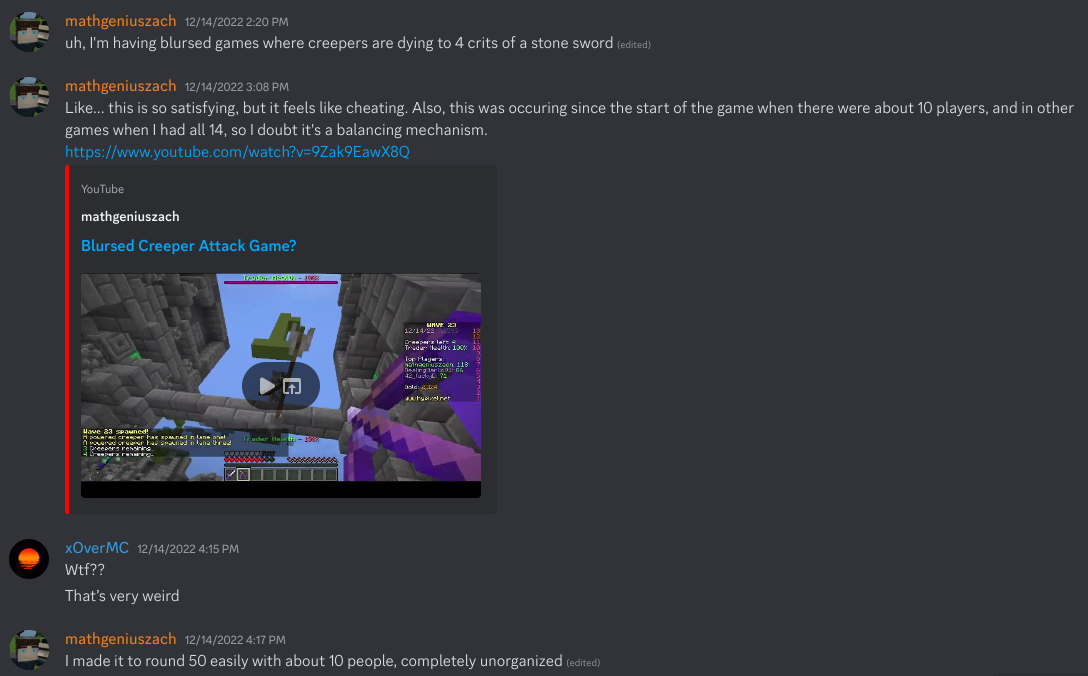
(Here's the video link: https://www.youtube.com/watch?v=9Zak9EawX8Q)
Hypixel just... silently updated and made Creeper Attack much easier, which did boost player counts significantly, but also made it possible for new Creeper Attack world records to be set. Previously, the world record of waves survived was 224 and that was reached through blood, sweat, and tears. After discussing what to do, the Discord decided to settle for getting a 250 world record so it could still be beaten if the change was reversed. I was invited to this party, but had a lot of connection issues so I decided to step out because I didn't want to ruin it for anyone.
I stuck around watching the whole world record from multiple streams, but it was basically so easy that people were going afk, taking bathroom breaks, and one person was even playing Bloons Tower Defense. One guy was even had kill-aura and was kicked midgame by Over (the host). I had another chance at 250 later on with some people who weren't able to participate in the world record, but that lobby crashed in the middle of the attempt for some unknown reason which made me very sad. Here's the original 250 world record post on Hypixel forums.
However, I was still present in the initial attempt in spirit in more ways than one. Up until the world record attempt I had been doing research and collecting data via replays on how and when monsters spawned to build the ultimate Creeper Attack mod. After colliating my results into this spreadsheet, I created CreeperAttackHUD aka CAHUD (coughing very weirdly). This mod lists when monsters will spawn as well as how many are going to spawn each round. This mod was used by quite a few people during all subsequent world record runs. I also created ModernInfo for showing information available in versions of minecraft beyond 1.8.9, such as bow charge rate, hit markers, and custom name displays.
Here's some screenshots of CreeperAttackHUD:
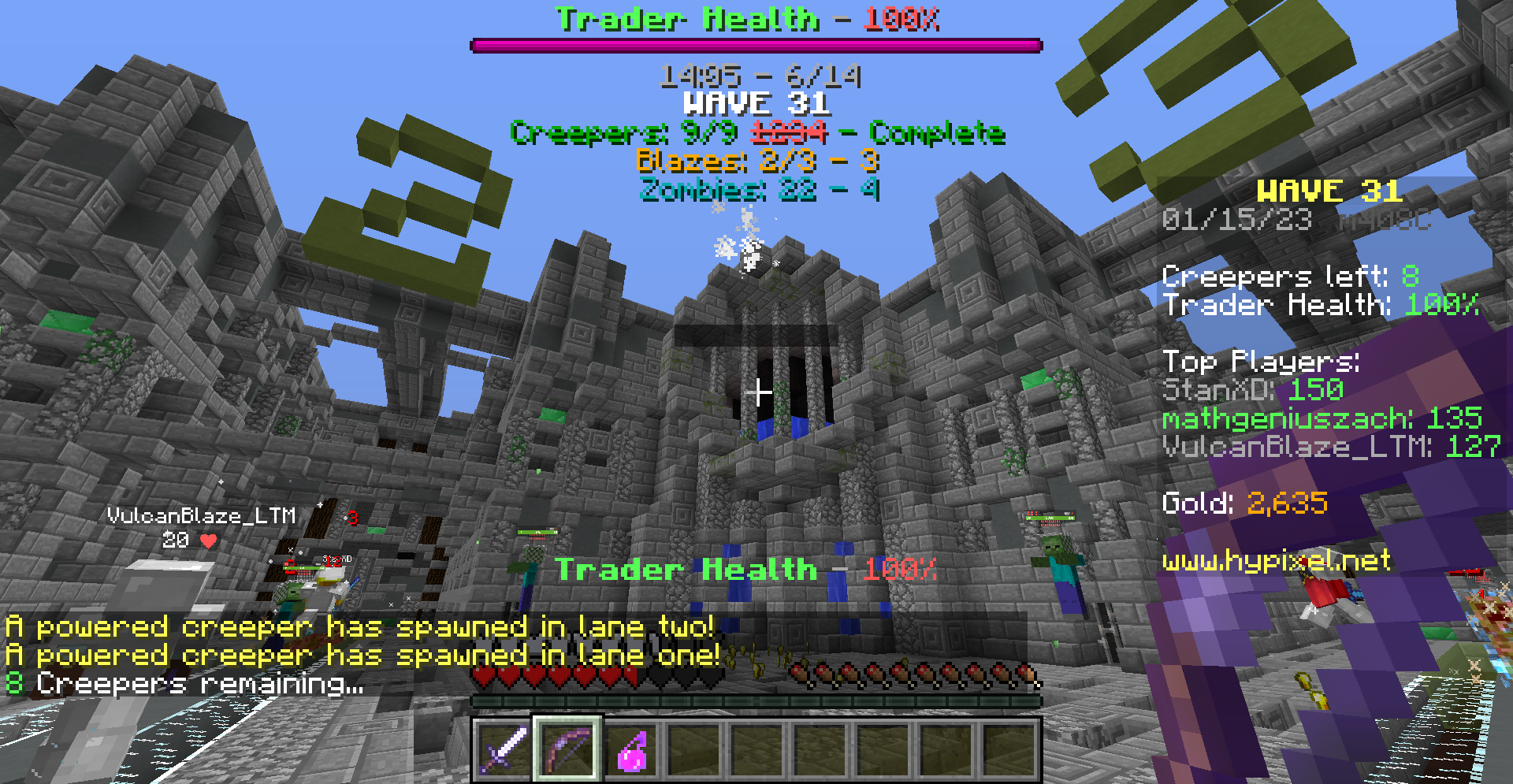
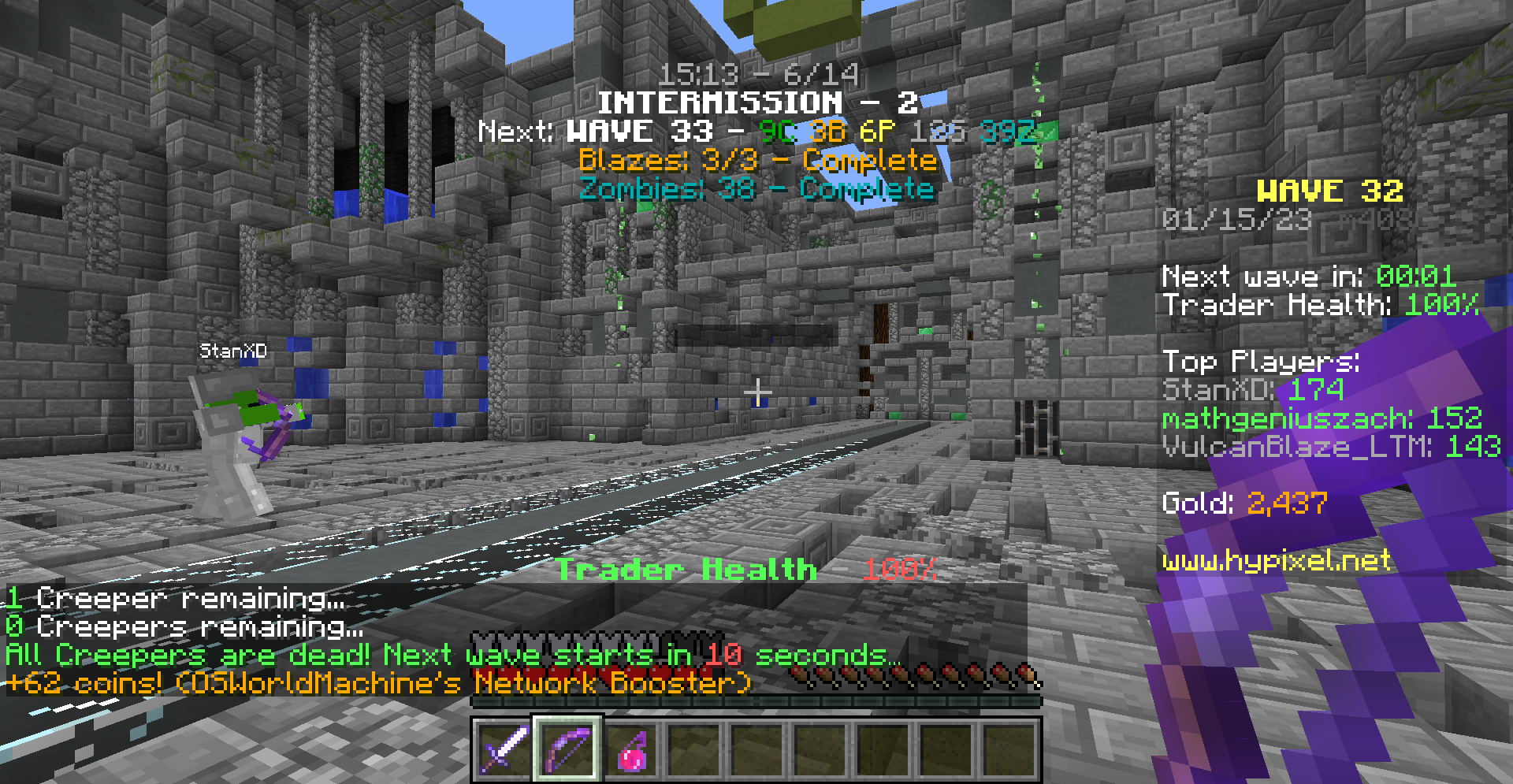
And Modern Info:
I first came into contact with the Origins mod when I was browsing Minecraft-fabric mods to make a modpack with them for me and my friends, and instantly loved the idea. Datapack-driven superpowers? Consistent Minecraft-themeing with a light modded feel? Oh yeah, sign me up.
I experimented with the mod and made a few origins for myself and other people over time, but often found it unweildy, as there wasn't good tooling for any code editor (including VSCode) at the time. Since then, datapack-support has gotten better and there are now plenty of good VSCode extensions for working with Origins datapacks.
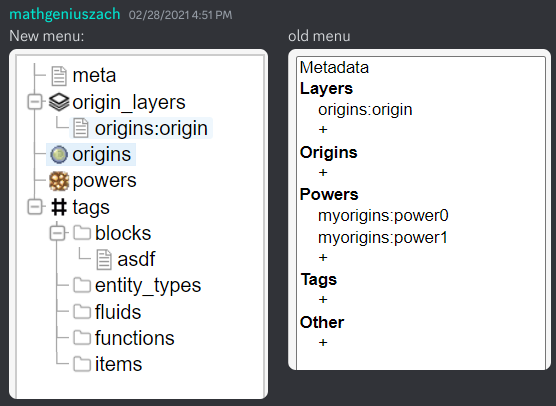
Inspired by mcstacker.net, I wanted to solve the problem of having to go to the wiki constantly by creating a more visual tool called The Origin Creator. Initially it started with only being able to create custom origins and powers, but the tool grew to be able to make any datapack entirely on it's own. It also has basic syntax highlighting for mcfunction files, making it still a better choice than editing with regular notepad.
While I don't have a screenshot of the old Origin Creator when it was first made, here's a screenshot showing a big sidebar update I did:
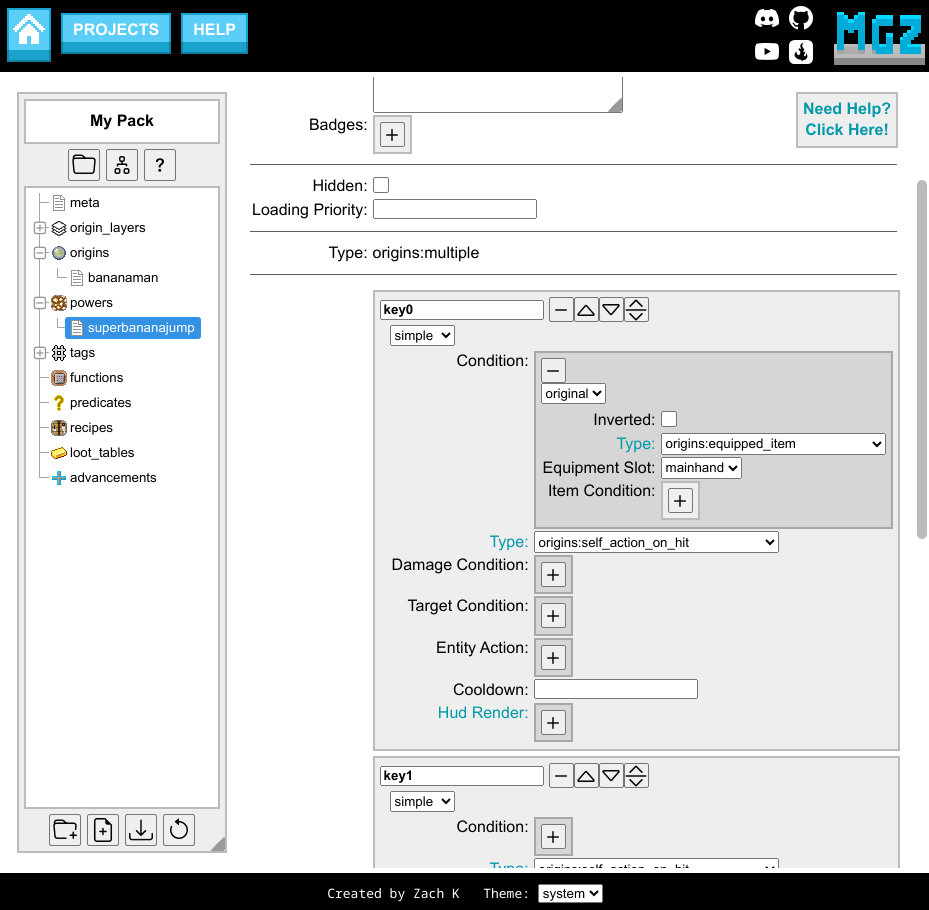
And here's what it looks like now:
The Origin Creator supports Minecraft versions 1.16.x and up, and to handle all versions of Minecraft I store the format of content in custom hjson schemas that can be found here. Writing these files takes a really, really long time, and some files are thousands of lines long. For what I knew at the time, this method worked really well, but if I were to go back I'd do it quite a bit differently, using the yaml format instead of hjson, splitting files up more efficiently, or just relying on existing json-schemas to generate the editor instead. I'm still actively developing the Origin Creator and adding new features.
Nevertheless, many people utilize the Origin Creator as a simple way to make datapacks quickly and efficiently without having to worry about syntax, including myself. While it doesn't let you skip the problem solving and programming aspects of writing origins, it does make the process significantly easier.
In making the Origin Creator, I came across many people asking the same sets of similar questions over and over, so I started to create common response pages that I could easily link them to. After learning about some simple flow charts created by some people in the official Origins Discord, I decided to reorganize my work by creating a mass repository of information in the form of an easy-to-follow online flow chart. I called this the Origins Flow Help.
The flow help provides step-by-step instructions on how to install/uninstall datapacks and mods, how to fix bugs, and helps the user figure out what powers to use for certain situations. I figure this'll be useful at least until some company illegally copies the help I provided to build their AI (which, I want to make clear, I do not give consent for any company to do). Most of the help includes pictures though, so it is slightly more resistant to this process.
Hypothetically, instead of having to ask for help in any Discord, people could find assistance for common problems there instead. While I have seen an overall decrease in the amount of people asking for help with common problems, I still get a few stragglers who need to be linked back to a specific page manually.
More recently, I've also created a Discord bot that makes this information accessible through Discord as well. The bot has been very useful for linking people back to certain pages that I have written.
In addition to those projects, I also have provided some suggestions and changes to the wiki through the official Discord (when I notice a typo or when something isn't clear enough). Most of the time this just involves taking a screenshot of the page with the issue, providing a link to the page, and describing the issue. I've read over most of the entire wiki multiple times, so I'm happy to be able to act as another pair of eyes for the documentation.
At one point I even provided some additions to the origins mod itself, by adding the Predicate, Command, and Scoreboard conditions, as well as adding a few additional in-game commands for interacting with Origins. These conditions and commands are extremely powerful as they allow the user to take advantage of regular Minecraft code to interact with Origins, but have the drawback of being server-side only.